

Explore the demo
Explore 404desk as an employee, an IT team member or a company admin. Start in a fictional company's employee portal and switch roles whenever you like. The application and guided tours are currently in German.
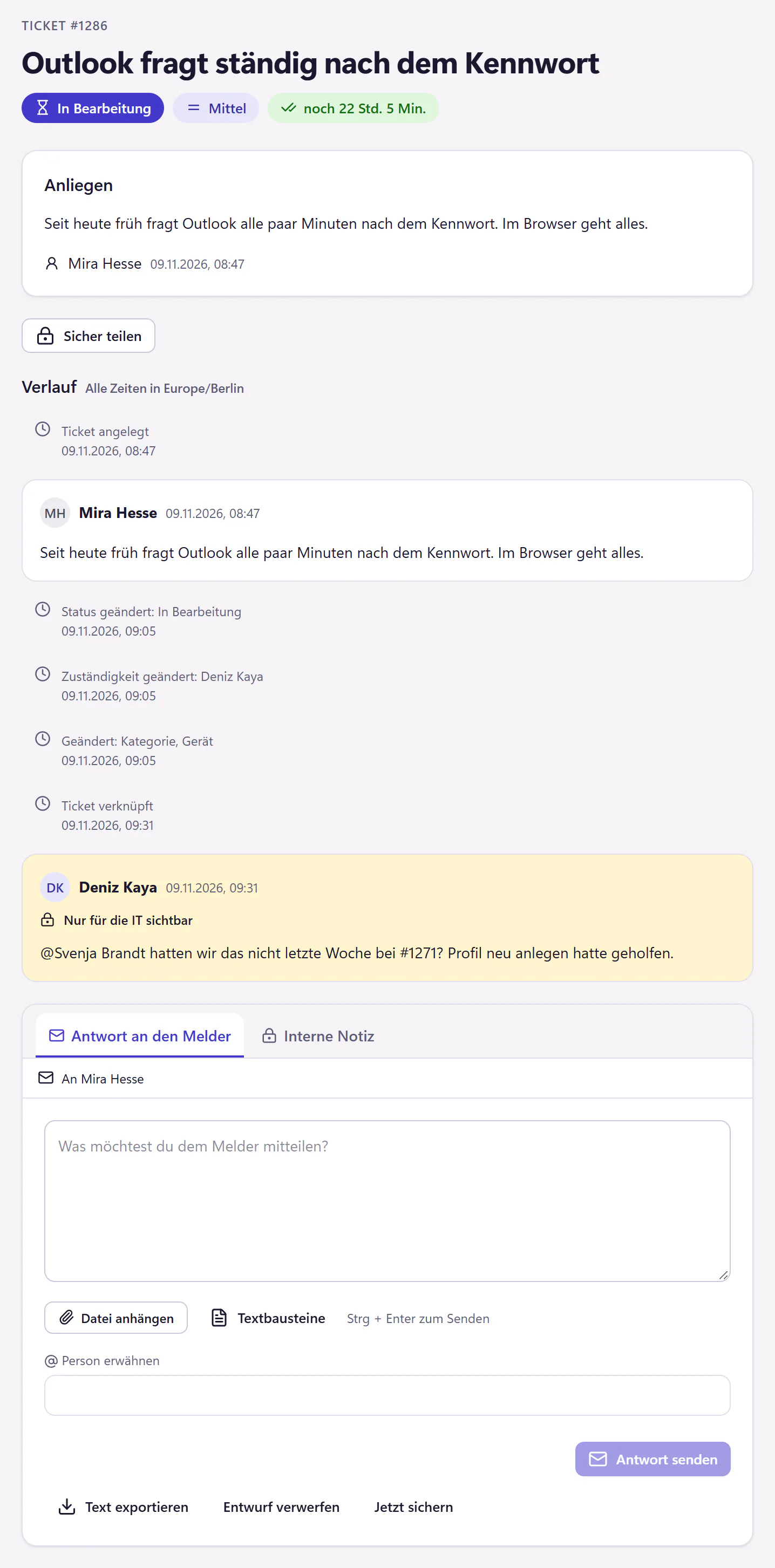
Three roles, one company
Employees: Read your own tickets and replies, find help articles, and view devices and requests.
IT: Search and filter the ticket list, then read ticket histories and internal notes. SLA deadlines, devices and analytics show the team's day-to-day work.
Company administration: Explore people and roles, company details, sign-in settings, automations and the subscription.
A short tour to get you started
On your first visit, take a guided tour or explore on your own. Each role has a few stops, followed by a link to the next role. You can restart the tour at any time using the demo banner. The application, banner and tours are in German.
Read-only access
The demo sends no messages and makes no calls to external services. If you try to change something, a short message explains the restriction. A complete set of sample data is ready whenever you visit.
Choose “Zur Website” in the demo banner to return to the German website. Read about the features and pricing, or sign up your company to try the application with your own data.
Frequently asked questions
Do I need an account?
No. Open the demo and start in the employee portal. Use the demo banner to switch to IT or company administration.
Can I change anything in the demo?
The demo is read-only. Changes, uploads and exports are disabled. To try the application with your own data, sign up your company.
Is this real customer data?
No. The companies, people, tickets and attachments are all fictional. The sample data is refreshed every night.