

IT asset management connected to your tickets
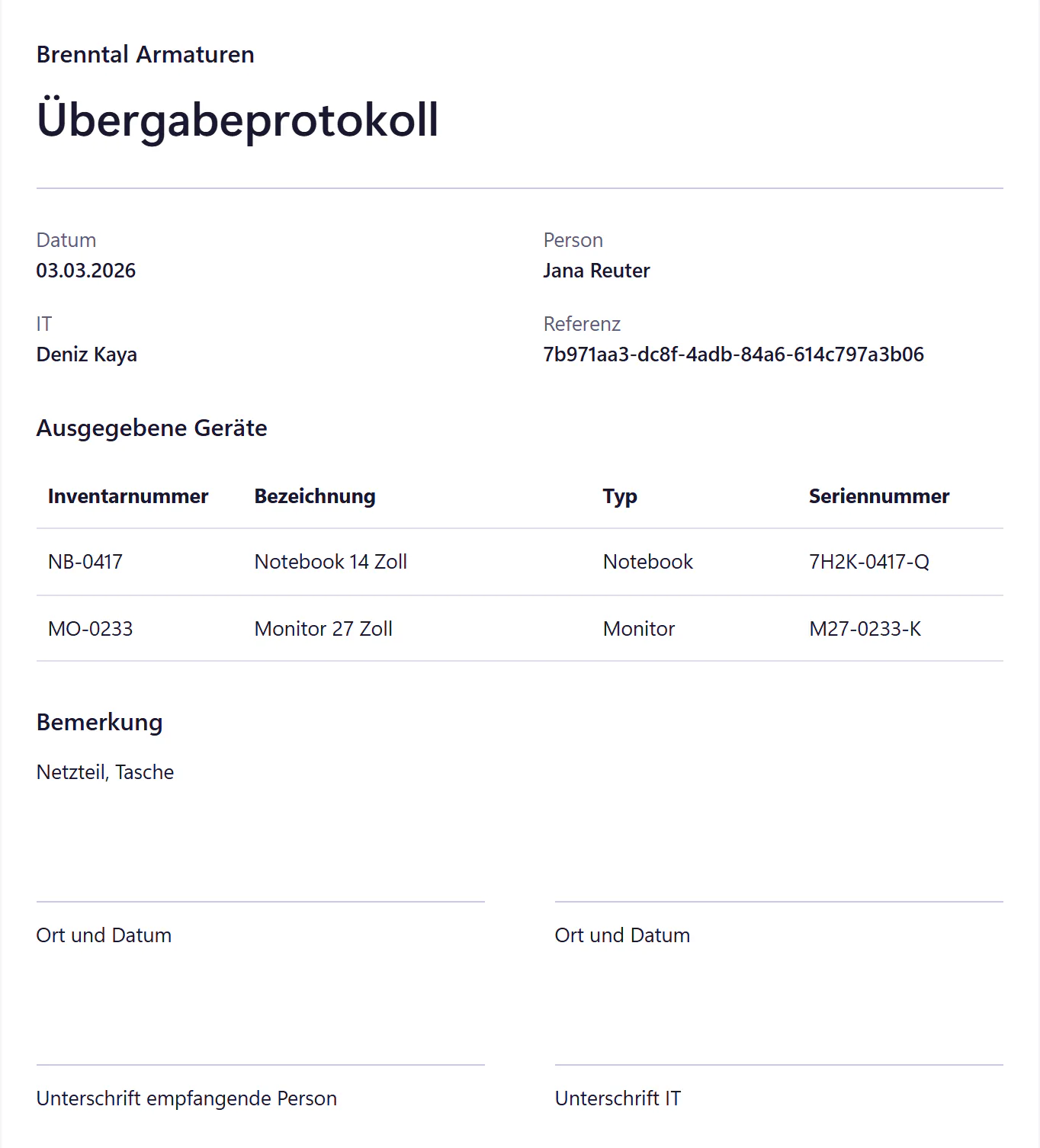
Every notebook, monitor and work phone sits in the device inventory with your own asset tag, such as NB-0417. Devices belong to people, so anyone reporting an issue picks their device with one tap. You document handovers and returns on an A4 form, and the signed scan stays attached to it.
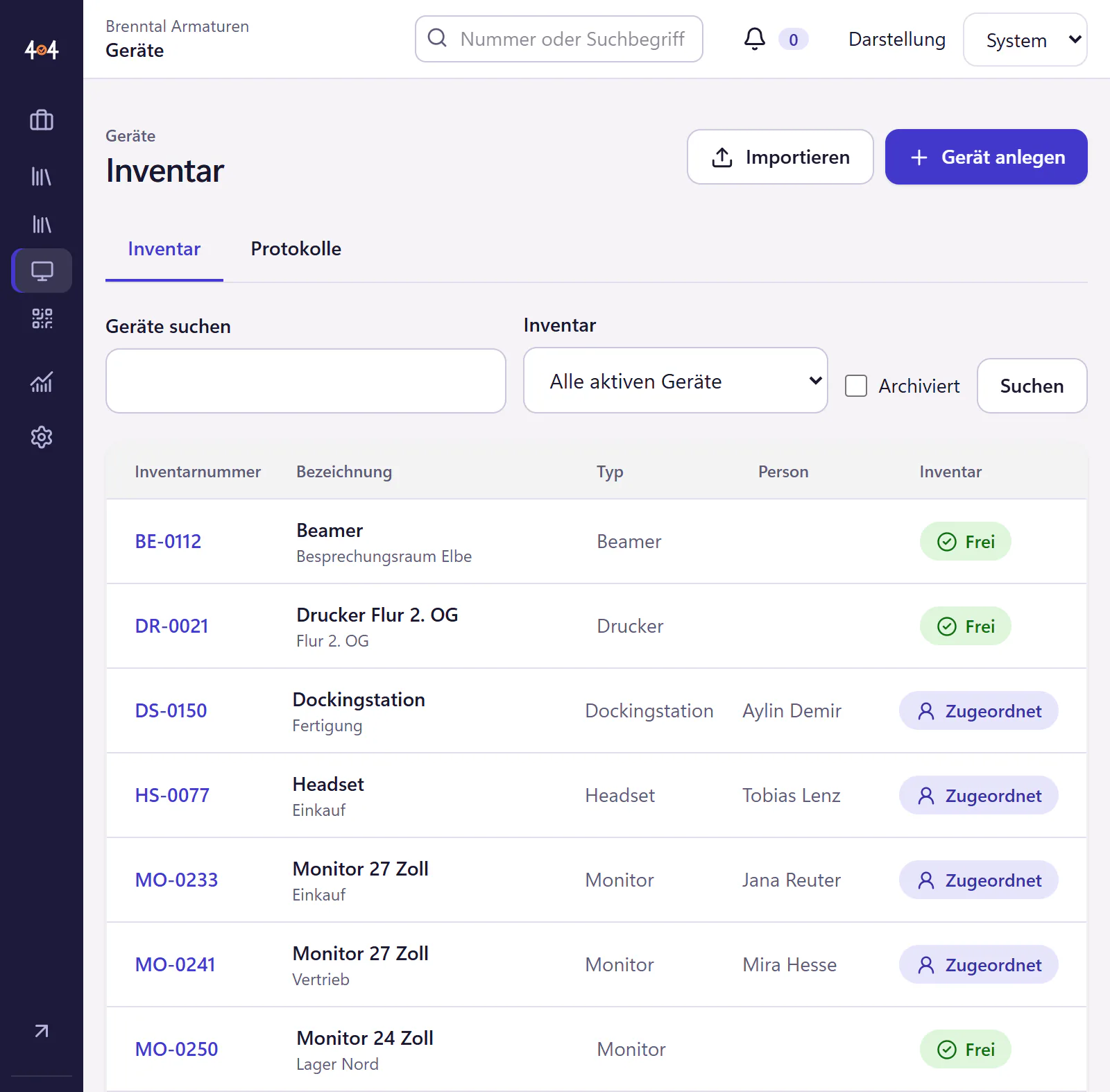
How a device gets into the inventory and to its person
Define a numbering pattern
For example NB for notebook and MO for monitor, followed by a four-digit running number. You choose the pattern freely, and existing numbers stay unchanged.
Import your stock
Your existing list comes in as CSV or Excel. You add new devices one by one.
Hand over equipment
Record the handover, print the A4 form, get it signed and upload the scan.
See the device in tickets
When Jana reports a problem, NB-0417 shows in the ticket. A return or swap gets a new form.
What the inventory can and cannot do
- Asset tags
- A pattern of your choice, such as NB-0417, suited to QR labels.
- Import
- From CSV and Excel, with a preview and column mapping.
- Assignment
- Devices belong to people and show under "Meine Geräte" (my devices) in the portal and in the ticket. Each device has an assignment history and a list of its tickets.
- Handover, return and swap
- An A4 form with the company’s logo and name and signature fields. You upload the signed scan to the form.
- Not included
- No automatic network discovery, no software inventory and no CMDB.
My devices in the portal
In the portal, employees see the equipment issued to them under "Meine Geräte" (my devices). When reporting an issue, they pick the device with one tap, so you do not have to ask which notebook they mean. If the list is wrong, that is a good prompt for them to tell you, and the inventory becomes more accurate as a side effect.
Who the inventory is enough for
Companies with 20 to 500 employees whose inventory is currently a spreadsheet that only one person understands. If you want to know who has which notebook, whether the form has been signed and which tickets a device has had, it is enough. If you need to manage software versions and network dependencies, you also need a device management tool such as Intune.
What a numbering pattern that still fits in five years looks like is covered in the guide Assigning asset tags.
Questions about asset management
Can we take over our Excel list?
Yes. The import reads CSV and Excel files with up to 5,000 rows. You match columns such as asset tag, type, serial number and person during the import. Existing devices are not overwritten.
Does 404desk pull devices from Intune automatically?
Not today. The roadmap shows what is coming next.
Is this a CMDB?
No. The inventory knows which device belongs to whom and which tickets it has had. It does not model dependencies between systems.
Related features
- QR labelsPrint QR labels for devices and rooms on A4 sheets. Scan with a phone to open the employee portal with the device or room already selected.
- Expiry remindersTrack expiry dates for licences, certificates, domains, warranties and contracts. Have a ticket created ahead of time, with an assignee and a deadline.
- IT equipment handover form: what to recordA copyable laptop and phone handover template, with advice on accessories, condition, signatures, returns and keeping the forms with your inventory.