

Licence and certificate expiry reminders as tickets
Expiry reminders in 404desk keep track of everything with an expiry date: licences, warranties, certificates, domains and contracts. In good time beforehand, a ticket is created, for example “Certificate vpn.brenntal.example”, with the expiry date in its description. It appears in the console like any other ticket, with a deadline and an assignee.
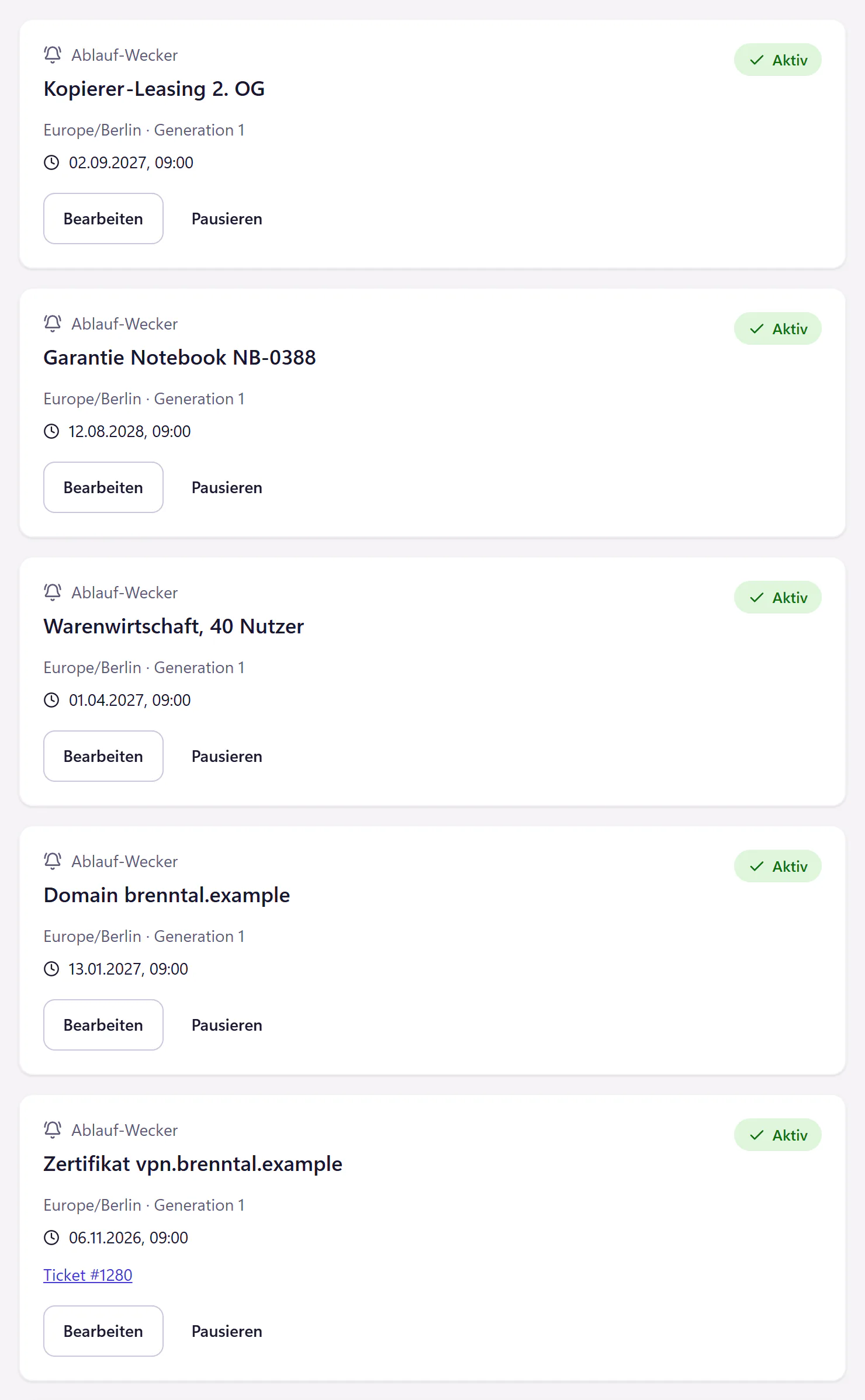
How expiry reminders work
Add an entry
What expires, what kind it is, on which date, and who takes care of it.
Choose lead time
You set the lead time for each entry, in calendar days. A certificate needs a few weeks, a contract with a notice period a few months.
Receive a ticket
On the day you set, a ticket is waiting in the console in the morning. The expiry date is in its description.
Renew and update
After renewal, enter the new date and the reminder is armed again.
What expiry reminders cover
Licences, warranties, certificates, domains and contracts: everything that expires quietly and is noticed only when VPN access stops working or the website shows a warning. You can link an entry to a device from the inventory, for example for a warranty.
The reminder only reminds you; it renews nothing. There is no connection to registrars, certificate authorities or licensing portals. One line per entry is enough, and you do not have to store any credentials.
Typical first entries
- VPN, website and mail-server certificates.
- Company and brand domains.
- Business software, antivirus and backup licences.
- Printer, phone-system and server maintenance contracts.
- Notebook warranties and lease end dates.
- Operating-system support end dates on older equipment.
Expiry reminders in a team
You can give each entry an assignee. If that person is absent and you have set up cover for that time, their open tickets go to the person covering. That way, no renewal depends on one particular person being around.
Who expiry reminders are built for
Any IT team whose expiry dates are currently in one person’s calendar, or nowhere. When that person leaves, the dates leave with them. In the expiry reminders, they are there for the whole team, and the ticket does not sit untouched while you are on holiday.
For management, the reminders show what is coming up: which contracts end in the next six months, which licences need renewing. They do not record amounts.
Questions about expiry reminders
Does 404desk check certificates itself?
No. You enter the expiry date and 404desk reminds you. There is no monitoring that reads certificates from the network.
How early does the reminder come?
As early as you set for each entry. The lead time is counted in calendar days and can be up to one year, for example 30 days before a certificate expires and 90 days ahead of a contract with a notice period.
Does this cost extra?
No. Expiry reminders are included in the core plan.
Related features
- Recurring tasksCreate tickets on a schedule, with checklists for backup checks, updates and access reviews. Preview the upcoming dates and choose an assignee.
- Asset managementKeep devices and asset tags, assign them to people, import CSV or Excel and print A4 handover forms with signature lines.
- WallboardDisplay open tickets, approaching deadlines and incidents as large numbers. A wallboard link works without sign-in. Includes a JSON endpoint for LED displays.