

An email ticketing system that keeps your IT address
Your employees keep writing to the same IT address as always, for example it@brenntal.example. You forward that mailbox to your company’s inbound address at 404desk, and new emails become tickets, with images, PDFs and text files coming along as attachments. When someone replies to an IT reply, the email lands in the matching ticket for as long as it is open. Reading the mailbox in your Microsoft 365 directly and replying from it is planned.
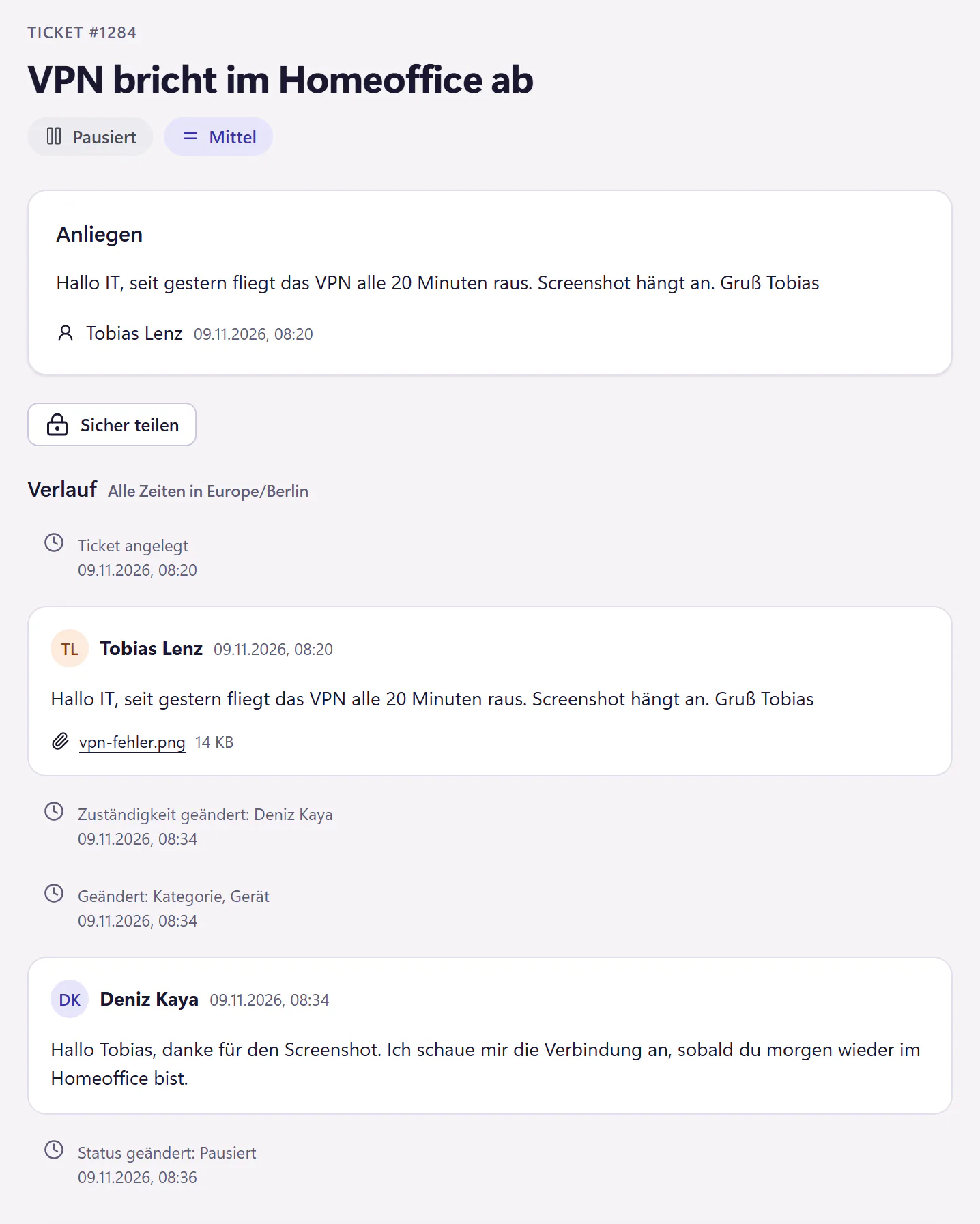
How emails to your IT become tickets
Copy your inbound address
Each company has its own inbound address in 404desk. You find it in the mail settings of the IT console.
Forward your IT mailbox
In your mail system, set up forwarding to that address for the IT mailbox, usually a shared mailbox such as it@ or helpdesk@.
Emails become tickets
From now on, new emails become tickets, with sender, text and attachments. Automatic emails are filtered out, and unclear ones wait for review. You set whether unknown senders from your own domains are created as employees automatically.
Keep replies together
You reply in the console and the requester gets an email. If they reply to it, their email is added to the same ticket for as long as it is open. If the ticket is already closed, the email goes to IT for review.
Alert emails from backup and monitoring
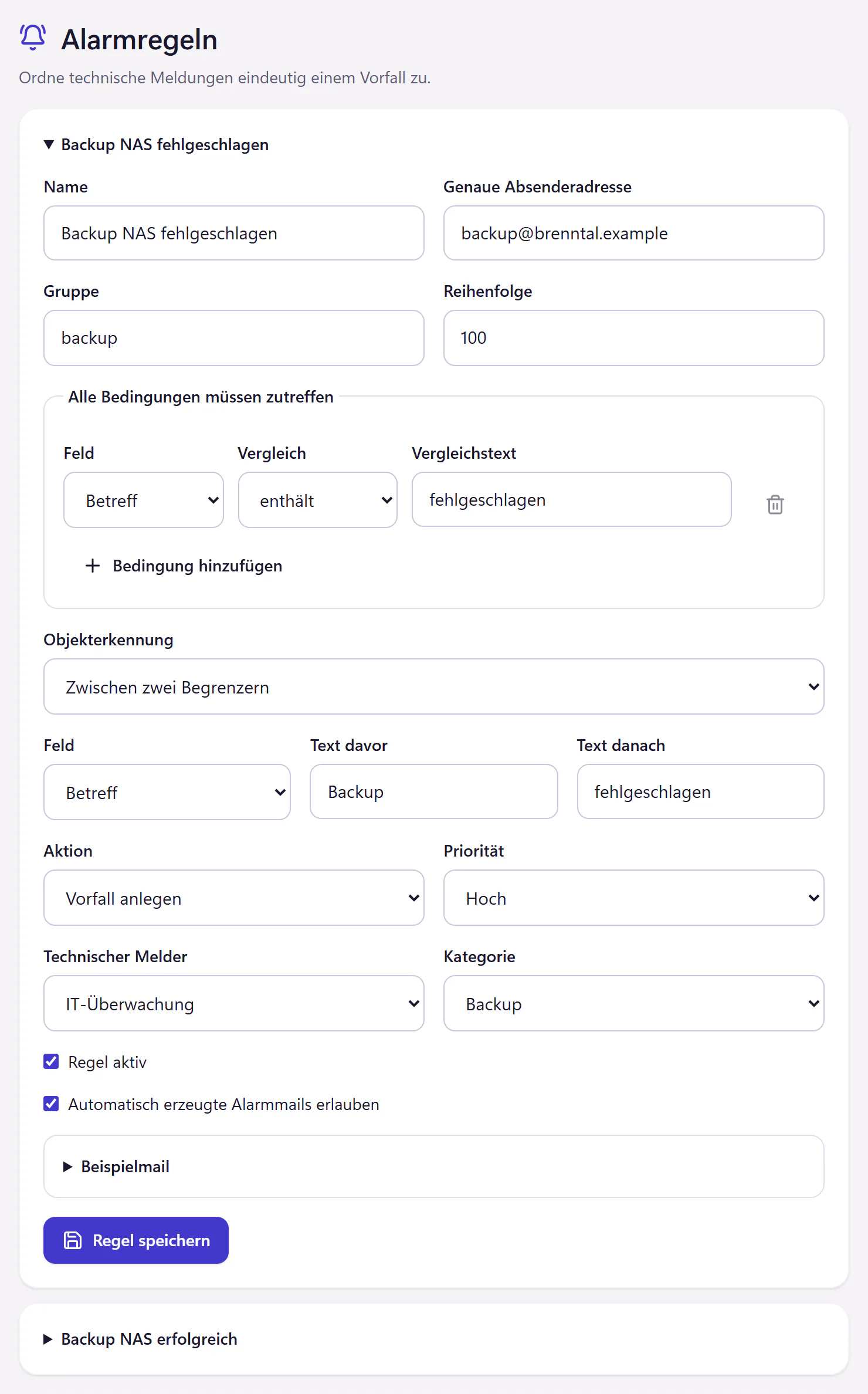
Backup software and monitoring tools send emails every night. An alert rule reads them: “Backup failed” opens an alert incident, and the next matching “successful” email closes it again, as long as the ticket is still new or in progress. In other statuses it adds a note. The queue then shows only the alerts that are really still open.
What you need to know
- Requirements
- A mailbox that can forward emails, and your inbound address at 404desk.
- Sender
- Replies currently use 404desk’s mail delivery. Sending from your own Microsoft 365 mailbox is planned. Coming soon
- Own mailbox
- Reading a mailbox in your Microsoft 365 directly and replying from it, without forwarding, is planned. Coming soon
- Without an account
- Anyone who reports by email gets a personal link to the ticket, where they can see the status and reply.
- Attachments
- Incoming: images, PDFs and simple text files, at most five per email, up to 10 MB per file and 25 MB in total. Other formats are not accepted. Whatever you attach to a reply goes out with the email.
- Alert rules
- An exact sender address, conditions for subject and text, and the action: open an alert incident, close it or ignore the email. You test each rule beforehand with an example email.
Who gets the most out of this
Any IT team that works from a shared mailbox today. Employees keep writing to the same address as always; the difference is that IT can now see who has taken which email and what has already been answered. That helps against duplicate replies. For what a shared mailbox can do and where it breaks down, see shared mailbox or ticketing system.
Questions about email tickets
Can we keep our IT address?
Yes. You forward your existing mailbox to your company’s inbound address. Nothing changes about the address your employees write to.
Does this work without Microsoft 365?
Yes. Forwarding needs only a mailbox that can forward emails. The planned direct connection requires a mailbox in your Microsoft 365.
What happens to out-of-office replies and newsletters?
404desk recognises automatically generated emails, such as out-of-office replies, and bulk emails by their markings and does not turn them into tickets. Emails from unknown senders outside your permitted domains wait in a list for review.
Related features
- Microsoft 365Sign-in and user sync with Entra ID, including account status. Forward your IT mailbox for email ticketing. No Google sign-in.
- AutomationWrite rules in plain language for categories, priorities and assignment. Preview which past tickets a rule would match, and close resolved tickets automatically.
- IT consoleA compact IT ticket console with filters, saved views, bulk actions, keyboard shortcuts, internal notes, mentions and snippets.