

An AI help desk assistant, if you want one
404desk works fully without AI. If you want it, add the AI add-on for €0.50 per account per month, with the same amount in shared credit. The AI then pre-sorts tickets, suggests replies, summarises long histories and, as the IT help chat in the portal, answers simple questions. You switch on each feature separately. A person always confirms ticket changes and reply drafts; the IT help chat answers employees directly from your approved content.
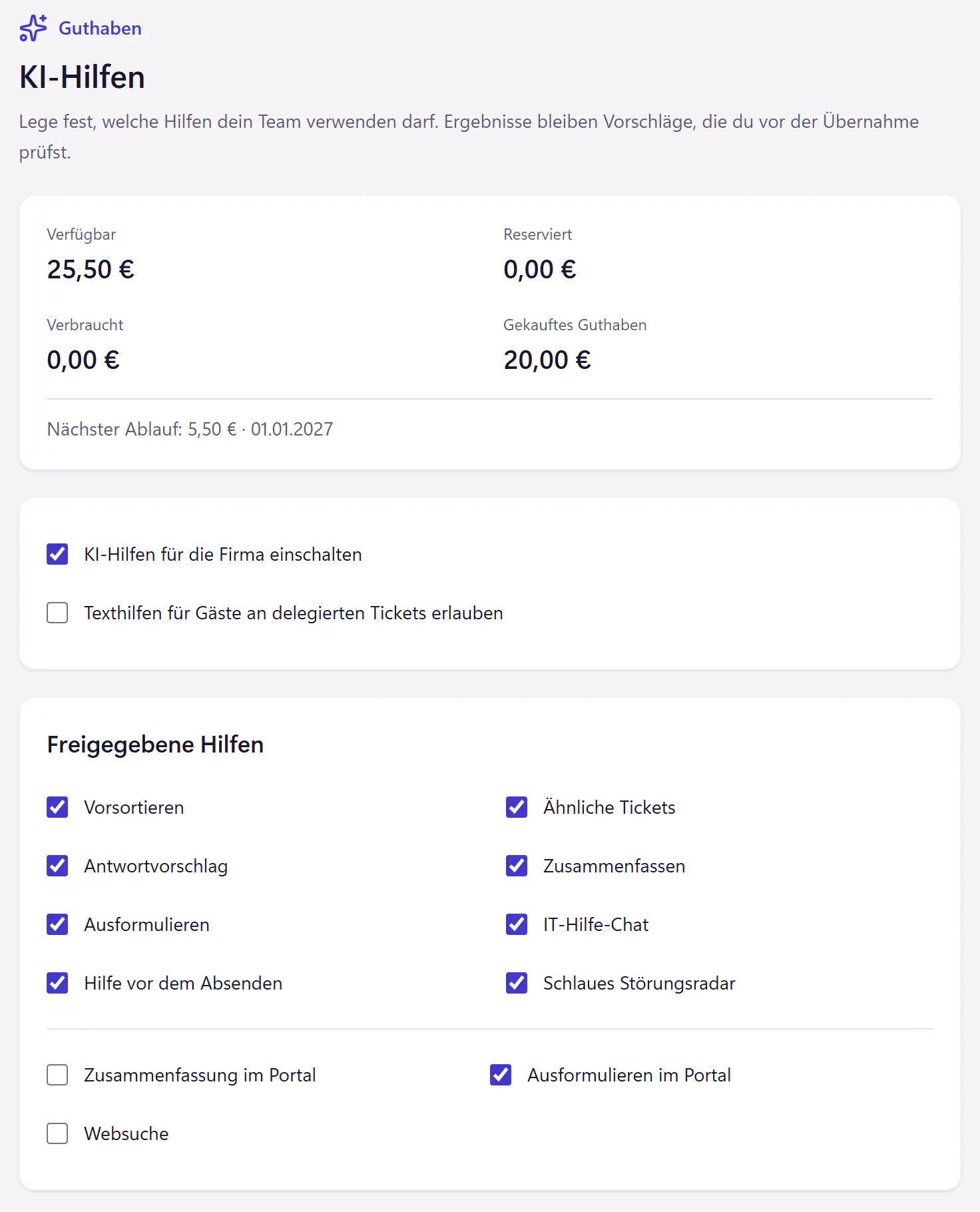
What the AI add-on does
- Pre-sorting
- Suggests a category, urgency and an assignee when a ticket arrives through the portal. This does not yet apply to tickets from email or the API. The ticket changes only once you confirm.
- Reply suggestions
- A draft based on approved knowledge, which you check and send.
- Summaries
- Long histories in a few sentences, for example when you take over a ticket from whoever was covering.
- Writing assistant
- Turns bullet points into a friendly reply.
- IT help chat
- In the portal, with answers from your approved guides. If it has no reliable answer, it points the employee to IT.
- Help before submitting
- Finds matching guides more often than full-text search does.
- Similar tickets and Radar
- Spots similar tickets and tickets that may belong to the same incident.
- Web search
- Switched on separately, off by default and not yet available. Coming soon
Where your data goes
Without the add-on, the built-in AI features send no tickets to an AI model. Integrations you set up yourself, such as the MCP server, can pass ticket data to other services independently of this. With the add-on, requests go through Langdock’s EU endpoint to an Anthropic language model.
Before anything is passed on, a redaction filter replaces any secrets it recognises, such as passwords and access keys, along with IBANs and email addresses, with placeholders. It cannot recognise every password or personal detail, so secrets still do not belong in tickets. You can exclude individual categories from processing entirely.
The portal chat history is kept for as long as you set, up to seven days at most. At zero days, it is kept only for the current session and removed by the next cleanup run afterwards. The Security page lists the service providers and what each is used for.
Pricing and credit
The add-on costs €0.50 per account per month. It includes AI credit of the same amount per account, which the whole company shares, shown in euros. Each successful AI action deducts the cost measured at the AI provider multiplied by 2. A maximum amount is reserved before each request, and errors without a usable result cost no credit. For 30 accounts, that is €15 a month, with the same amount in credit.
You can top up at any time, or switch on automatic top-ups with a threshold and a monthly cap, which you confirm explicitly. Credit never goes negative. Included credit has an expiry date, shown in the AI settings. Purchased credit does not expire.
Who the AI add-on is for
It suits companies with a well-stocked knowledge base, because the chat and the help before submitting answer from it. It also suits IT teams with many long email threads that someone else started. If you have few tickets and little knowledge content, save the money and add it later.
Questions about the AI add-on
Which language model is used?
An Anthropic language model accessed through Langdock’s EU endpoint.
What happens when credit runs out?
The AI pauses. There is no back-billing and the balance never goes negative. Tickets, replies and the normal knowledge base search keep working. You can top up at any time, or automatically with a monthly limit if you prefer.
Can I buy only the chat, without the other features?
You buy the add-on as a whole, then switch each feature on or off individually. Credit is used only by features that actually run.
Does AI change tickets on its own?
No. The AI takes no actions itself. Sending, assigning, merging, closing and changing the priority always need confirmation from a person in the ticketing system.
Related features
- PricingOne plan with rates of €2.00, €1.50 or €1.00 per account per month and a minimum of €29. Calculate your price. AI is optional. German interface.
- SecurityTwo-factor authentication, audit log, controlled support access, export and deletion. Review hosting, service providers and the German DPA.
- API, webhooks and MCPConnect scripts and AI assistants to tickets with a REST API, signed webhooks and an MCP server. Keys and permissions are set per company, with no fee per call.